เปิดแอป → ตั้งค่า
Open app → Settings
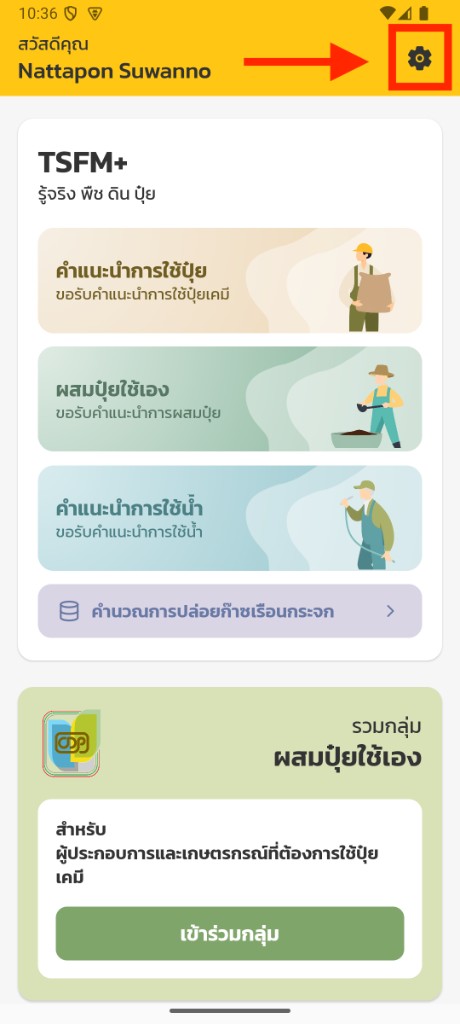
เข้าสู่ระบบแล้วแตะ เฟือง (⚙) บนแถบสีเหลือง / Sign in, then tap the gear on the yellow bar.
Account deletion
หน้านี้สำหรับผู้ใช้แอป TSFM+ ที่ต้องการลบบัญชีและข้อมูลที่เกี่ยวข้องอย่างถาวร
Permanently delete your TSFM+ account. No website login required — request via form or phone.
ช่องทางที่ 1 แนะนำ / Recommended
วิธีที่เร็วที่สุด — ทำตาม 3 ขั้นตอนด้านล่าง / Fastest way: follow the 3 steps below inside the app.
Open app → Settings
เข้าสู่ระบบแล้วแตะ เฟือง (⚙) บนแถบสีเหลือง / Sign in, then tap the gear on the yellow bar.
Select Delete Account
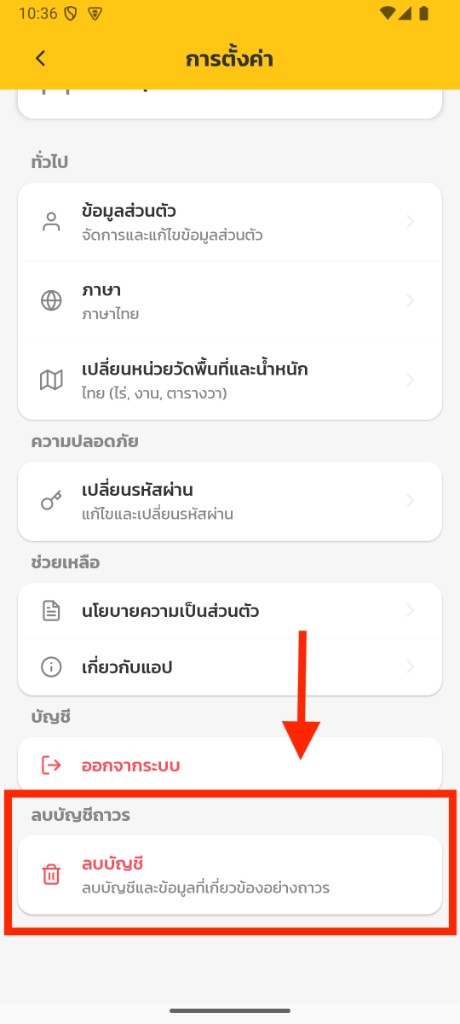
แตะ “ลบบัญชี” ใต้หัวข้อลบบัญชีถาวร / Tap Delete Account under permanent deletion.
Enter code → Confirm
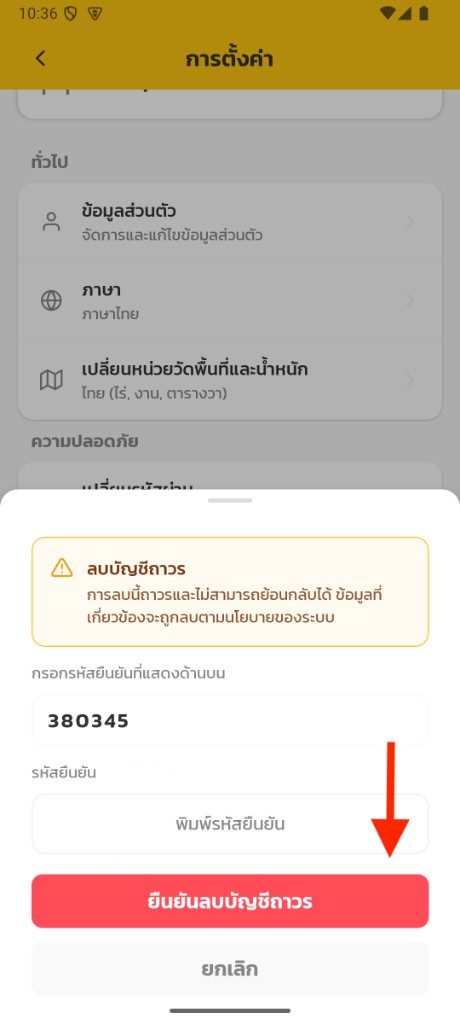
พิมพ์รหัสยืนยันแล้วกด “ยืนยันลบบัญชีถาวร” / Type the code, then confirm. Cannot be undone.
ช่องทางที่ 2
ใช้เมื่อถอนการติดตั้งแอปแล้ว หรือลบในแอปไม่ได้ / Use if the app is uninstalled or in-app deletion is unavailable.
ข้อมูล
Data that will be deleted
ข้อยกเว้น
May be retained temporarily
คำเตือน
เมื่อบัญชี TSFM+ ถูกลบถาวรแล้ว การดำเนินการนี้ไม่สามารถย้อนกลับได้
Permanent deletion is irreversible. A deleted TSFM+ account cannot be restored.